From Post-its to Prototypes: 5 Game-Changing Lessons from Miro AI
If you’ve ever walked away from a high-energy workshop with a phone full of blurry photos of sticky notes, you know the "synthesis dread." You’re looking at hours of manual data entry before the real work even begins.
At the recent MOJ AI Conference, Steven Samson Jones (Senior Partner at TPX Impact and Miro Community Champion) dropped a masterclass on how Miro AI is turning that dread into a superpower. With the Ministry of Justice rolling out a new Miro AI pilot, there’s never been a better time to level up your digital whiteboarding game.
Here are the top five lessons and "magic tricks" from the session.
1. The "Physical to Digital" Shortcut
The "Sticky Capture" tool is arguably the biggest time-saver for hybrid teams.
The Lesson: Don't manually type out physical notes.
The Trick: Use the Stickies Capture feature to upload a photo of a real-life whiteboard. Miro AI recognizes the text and the color palette, instantly converting them into digital sticky notes.
Note: It currently excels at English text, so keep an eye on character recognition for specialized terms!
2. Rapid Synthesis: Turning Chaos into Clarity
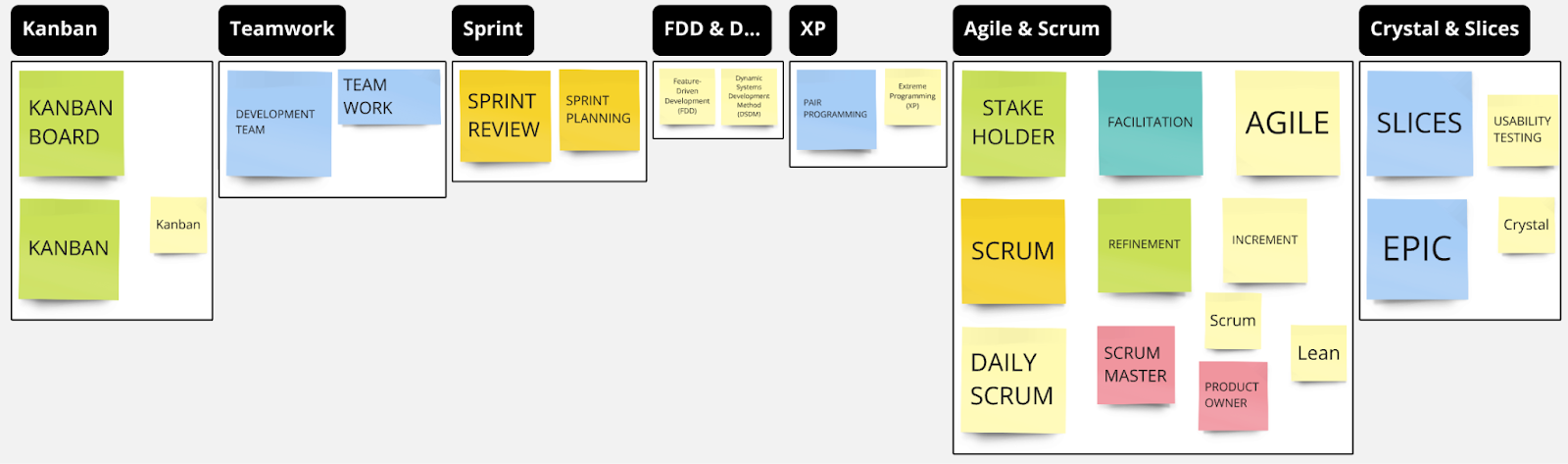
Analyzing 800+ sticky notes from a discovery session usually takes a week. Steven demonstrated how to do a "start for ten" in seconds.
Cluster by Keyword: Automatically group ideas by recurring themes.
Sentiment Analysis: Quickly separate the "positive vibes" from the "pain points."
Research Synthesis: Miro AI can generate a high-level summary of a board, including goals, key insights, and suggested next steps. It won’t replace a User Researcher, but it’s a brilliant springboard for deeper analysis.
3. Visual Thinking for the "Non-Artist"
One of the biggest barriers to Miro is the "I can't draw" hurdle. Steven shared how AI lowers the floor for visual communication:
Background Removal: Select any image (like a logo or a character) and use Miro AI to remove the background instantly. This is perfect for creating custom "dot-voting" counters or clean slide decks.
Mind Maps & Flowcharts: Use prompts like "Generate a mind map of the Scrum framework" to build out complex structures in seconds. You can then use the "Expand with Ideas" feature to brainstorm further branches.
4. The Dyslexia-Friendly "Tidy Up"
As someone who identifies as dyslexic, Steven highlighted how AI acts as a powerful accessibility tool.
Tone Adjuster: You can take rough "week note" updates from a team and ask Miro AI to "convert these into a friendly email" or "rewrite for clarity." * The Benefit: It allows you to focus on the ideas and the strategy while the AI handles the linguistic "polishing," avoiding the "Americanized" quirks often found in other LLMs.
5. Beyond Work: Gamification
Who says Miro is just for retros? Steven showed off a Monopoly-themed retrospective to prove that engagement matters.
Pro Tip: Use the Dice Tool (a native Miro app) and the Icon Finder to turn a boring meeting into an interactive board game. Building team culture is much easier when the environment feels playful.
A Note on Ethics and Security
The session didn't shy away from the tough questions. When dealing with sensitive government data (like victim support or intelligence), caution is key. * Human in the Loop: AI is a "kickstarter," not a "one-stop shop." It can be biased and requires human oversight.
Security First: Always check the DPIA (Data Protection Impact Assessment) and follow the specific guidance provided in the MOJ pilot before uploading sensitive or protected data.
Get Involved
What’s the first thing you’re going to try with Miro AI? Whether it's summarising your next retro or building a custom board game, the goal is the same: spend less time on the "admin" of thinking and more time on the thinking itself.
You can read Justice Digital’s blog here
“Our final session provided Digital colleagues with a valuable introduction to Miro AI and its wide-ranging capabilities. From report generation and qualitative data analysis to the creation of diverse diagrams, including mind maps and flowcharts. The speakers guided us through its potential to streamline workflows and enhance efficiency. The session was particularly useful in giving Digital colleagues a taste of the software’s capabilities before Justice Digital’s Miro AI Pilot commenced shortly after. ”